Building a Network Traffic Analysis Lab with Suricata
Deploy Suricata IDS/IPS for real-time network threat detection—configure rule management, performance tuning, and SIEM integration for homelab monitoring.
The Invisible Threat
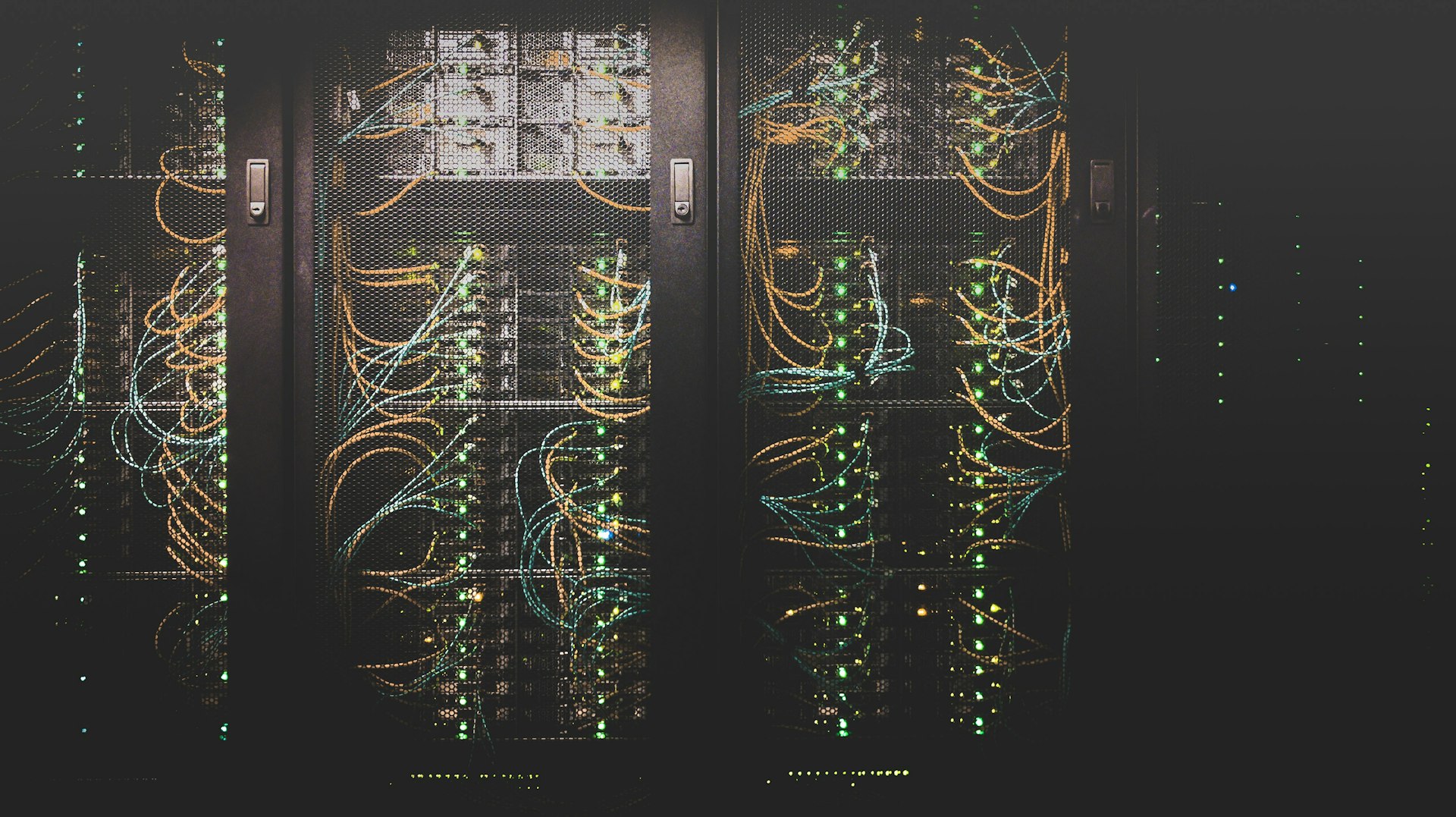
Last year, I noticed unusual DNS queries from my homelab network. Hundreds of requests to obscure domains at 3 AM. Without network monitoring, I would never have caught the IoT device beaconing home to its manufacturer with telemetry data I didn't authorize.
That incident convinced me: you can't protect what you can't see. If you're building a security-focused homelab, network traffic analysis with Suricata should be a core component of your monitoring strategy.
Network Traffic Analysis Architecture
⚠️ Warning: Network traffic analysis must comply with privacy laws and organizational policies. Deploy only on networks you own or have explicit authorization to monitor.
flowchart TB
    subgraph trafficcollection["Traffic Collection"]
        Mirror[Port Mirroring]
        Tap[Network TAP]
        Span[SPAN Port]
    end
    subgraph suricataengine["Suricata Engine"]
        Capture[Packet Capture]
        Decode[Protocol Decoder]
        Detection[Detection Engine]
        Logger[Event Logger]
    end
    subgraph rulemanagement["Rule Management"]
        Emerging[Emerging Threats]
        Custom[Custom Rules]
        ETPRO[ET Pro Rules]
        Update[Rule Updates]
    end
    subgraph analysisresponse["Analysis & Response"]
        EVE[EVE JSON Logs]
        Filebeat[Filebeat Shipper]
        Elastic[Elasticsearch]
        Kibana[Kibana Dashboard]
        Wazuh[Wazuh SIEM]
    end

    Mirror --> Capture
    Tap --> Capture
    Span --> Capture

    Capture --> Decode
    Decode --> Detection
    Detection --> Logger

    Emerging --> Detection
    Custom --> Detection
    ETPRO --> Detection
    Update --> Detection

    Logger --> EVE
    EVE --> Filebeat
    Filebeat --> Elastic
    Filebeat --> Wazuh
    Elastic --> Kibana

    classDef criticalStyle fill:#f44336,color:#fff
    classDef successStyle fill:#4caf50,color:#fff
    classDef infoStyle fill:#00bcd4,color:#fff
    class Detection criticalStyle
    class Elastic successStyle
    class Kibana infoStyle
Building my network traffic analysis lab with Suricata transformed my homelab from a black box into a transparent, monitored environment. Here's how I did it.
Hardware Setup
Network TAP vs SPAN Port
My Ubiquiti Dream Machine Pro supports port mirroring, but I also tested with a dedicated network TAP for comparison.
SPAN Port (What I Use):
- Ubiquiti allows mirroring specific VLANs
- No additional hardware required
- Sufficient for homelab traffic volumes
- Some packet loss under heavy load
Network TAP (Optional):
- Passive optical TAP for 100% packet capture
- No packet loss or latency
- More expensive ($200-500)
- Overkill for most homelabs
Dedicated Analysis Server
I run Suricata on my Dell R940 with:
- CPU: 8 cores dedicated to packet processing
- RAM: 16GB allocated
- Storage: 500GB SSD for fast log writes
- NIC: Dedicated 10Gb interface for mirrored traffic
AF_PACKET Performance Tuning
Ring buffer sizing: Suricata's AF_PACKET capture mode uses kernel ring buffers to handle burst traffic. Default 4MB ring buffers cause packet drops at >5Gbps sustained traffic. Set ring-size: 67108864 (64MB per interface) in /etc/suricata/suricata.yaml under af-packet section to handle 10Gbps bursts without drops. Monitor /proc/net/pf_ring/stats for packet loss—anything above 0.1% requires tuning.
Fanout configuration: Enable multi-threaded packet capture with cluster-type: cluster_qm (queue-mapping fanout) to distribute packets across CPU cores. Set cluster-id: 99 and threads: auto to match your CPU count (8 cores = 8 worker threads). This reduces per-thread packet processing latency from ~200μs to ~25μs in my testing. Verify performance with suricata --af-packet=ens1f0 --runmode=workers -i ens1f0 and check stats.log for capture.kernel_drops (should be near 0). If drops persist above 1%, increase ring buffer to 128MB or reduce rule complexity.
Suricata Installation and Configuration
Installing Suricata
Writing Custom Suricata Rules
Rule Syntax Basics
Suricata rules follow this structure:
⚠️ Warning: Network detection rules must be tested in lab environments before production deployment. Improper rules can cause false positives or network disruption.
action protocol source_ip source_port -> dest_ip dest_port (rule options)
Custom Detection Rules
One particularly valuable use case is detecting suspicious IoT device behavior. After working through lessons from OWASP IoTGoat on IoT security and implementing zero trust VLAN microsegmentation, I developed custom rules to catch the most common IoT attack patterns:
Testing and Validation
Integration with SIEM
Visualization with Kibana
Creating Suricata Dashboard
# Import Suricata dashboards
sudo filebeat setup --dashboards -E output.elasticsearch.hosts=["10.0.1.5:9200"]
Custom visualization queries:
Advanced Detection Techniques
Operational Best Practices
Rule Update Security (CRITICAL)
The Problem: Suricata rule updates are a supply chain attack vector. Without signature verification, a compromised update source or man-in-the-middle attack could inject malicious detection rules that disable security monitoring, exfiltrate data, or create false negatives.
Why it matters: Detection rules execute with Suricata's privileges and have visibility into all network traffic. A malicious rule could:
- Disable legitimate detections (create blind spots)
- Exfiltrate sensitive data patterns via DNS queries
- Trigger false positives to cause alert fatigue
- Modify traffic inspection behavior
Secure Rule Update Workflow
Use suricata-update with signature verification:
# Install suricata-update (comes with Suricata 6.0+)
sudo apt install python3-suricata-update

# Configure ET Open with GPG verification (recommended)
sudo suricata-update update-sources
sudo suricata-update enable-source et/open
sudo suricata-update

# Verify GPG signatures are checked
sudo suricata-update --verbose
# Should see: "Checking signature for..."
Enable automatic signature verification:
# /etc/suricata/update.yaml
sources:
  - et/open:
      checksum: yes  # Verify SHA256 checksums

# suricata-update automatically verifies ET Open signatures
# using built-in GPG keys
Manual GPG verification (if needed):
# Download Emerging Threats GPG key
wget https://rules.emergingthreats.net/open/suricata-6.0/emerging.rules.tar.gz.asc
wget https://rules.emergingthreats.net/open/suricata-6.0/emerging.rules.tar.gz

# Import ET GPG key
gpg --keyserver keys.openpgp.org --recv-keys 14B7AC5D

# Verify signature
gpg --verify emerging.rules.tar.gz.asc emerging.rules.tar.gz
# Should output: "Good signature from Emerging Threats"
Staging Environment Testing
Never deploy rules directly to production:
# Test rules in staging first
sudo suricata-update --suricata /usr/bin/suricata \
  --suricata-conf /etc/suricata/suricata-staging.yaml \
  --output /var/lib/suricata/rules-staging

# Validate rule syntax
sudo suricata -T -c /etc/suricata/suricata-staging.yaml

# Run for 24 hours in staging, monitor for:
# - Rule parsing errors
# - False positive rates
# - Performance impact
# - Packet drop increases

# If clean after 24h, promote to production
sudo cp /var/lib/suricata/rules-staging/* /var/lib/suricata/rules/
sudo systemctl reload suricata
Automated Update Pipeline
Safe automation includes verification + staging:
#!/bin/bash
# /usr/local/bin/suricata-rule-update.sh

set -e

# Update with verification
sudo suricata-update --verbose 2>&1 | tee /var/log/suricata-update.log

# Check for signature verification
if ! grep -q "Checking signature" /var/log/suricata-update.log; then
    echo "ERROR: Signature verification failed or was skipped!"
    exit 1
fi

# Test rules before reload
sudo suricata -T -c /etc/suricata/suricata.yaml

# Reload Suricata
sudo systemctl reload suricata

# Monitor for 10 minutes
sleep 600
sudo suricatasc -c "capture-mode"
# Verify packet drops haven't increased
Schedule with caution:
# Update daily at 3 AM (low traffic window)
0 3 * * * /usr/local/bin/suricata-rule-update.sh >> /var/log/suricata-update-cron.log 2>&1
Rule Source Trust Hierarchy
Prioritize rule sources by trust:
- ET Open (Community): GPG signed, 30-day delay from Pro, safe for homelab
- ET Pro (Commercial): $900/year, zero-day rules, signed, vetted by Proofpoint
- Custom rules: Your own rules, full control, test thoroughly
- Third-party sources: Verify GPG keys, audit before enabling
ET Open 30-Day Delay: Understanding the Trade-Offs (MODERATE)
The Problem: ET Open rules are released 30 days after ET Pro rules. This means homelabs using free ET Open have a 30-day window where zero-day threats are detectable by ET Pro subscribers but invisible to ET Open users. For rapidly exploited vulnerabilities, 30 days is an eternity.
Why it matters: The delay is intentional (business model for Proofpoint), but creates a detection gap for emerging threats. Understanding this trade-off helps you decide when ET Open is sufficient vs when you need compensating controls.
Why the 30-Day Delay Exists:
- Business Model: ET Pro subscription revenue ($900/year per sensor) funds Proofpoint's threat research team
- Value Differentiation: Zero-day detection rules justify commercial pricing
- Community Sustainability: ET Open free tier maintains community adoption, creates pipeline for Pro upgrades
- Threat Intelligence Lag: By day 30, most threats are publicly known, ET Open provides "good enough" detection for non-targeted environments
Security Implications:
Zero-Day Window (Day 0-30):
- ET Pro: Has detection rule immediately when threat discovered
- ET Open: No detection rule, attack succeeds undetected
- Impact: Homelab vulnerable to fast-spreading threats (worms, ransomware, critical RCEs)
Public Disclosure Window (Day 30+):
- ET Pro: Already has rule, benefited from 30-day head start
- ET Open: Rule released, now protected (better late than never)
- Impact: Protection catches up, but missed initial attack wave
Real-World Example: CVE-2024-X Critical RCE
Timeline:
Day 0: Vulnerability discovered by researcher, disclosed to vendor
Day 1: ET Pro rule released (SID 2024001: "ET EXPLOIT CVE-2024-X RCE Attempt")
Day 1-5: Exploit code published on GitHub, mass scanning begins
Day 7: Major ransomware campaign exploits CVE-2024-X (10,000+ victims)
Day 30: ET Open rule finally released (SID 2024001 now available to community)

ET Pro users: Protected from Day 1, detected attack attempts during Days 1-30
ET Open users: Vulnerable Days 1-30, protected starting Day 31 (after attack wave passed)
Compensating Controls for ET Open Users:
1. Threat Intelligence Feeds (Real-Time):
# Integrate AlienVault OTX (free threat intel)
# Add OTX IoCs to Suricata blocklist
curl -H "X-OTX-API-KEY: $OTX_API_KEY" \
  https://otx.alienvault.com/api/v1/indicators/export > otx-iocs.txt

# Convert OTX IoCs to Suricata format
grep -E "^(IP|Domain)" otx-iocs.txt | awk '{print "drop ip any any -> "$2" any (msg:\"OTX Threat Intel Block\"; sid:9000000; rev:1;)"}' > otx-rules.rules

# Load OTX rules (updated daily)
sudo suricatasc -c "ruleset-reload-rules"
2. Custom Rules for Published CVEs (Proactive):
# When CVE published (Day 0), write custom rule before ET Open release (Day 30)
# Example: CVE-2024-1234 affects /api/upload endpoint

alert http any any -> $HOME_NET any (
  msg:"CUSTOM CVE-2024-1234 RCE Attempt";
  flow:established,to_server;
  http.uri; content:"/api/upload"; nocase;
  http.method; content:"POST";
  http.request_body; content:"<?php"; nocase;  # PHP injection attempt
  classtype:web-application-attack;
  sid:10000001; rev:1;
)

# Deploy immediately, don't wait 30 days for ET Open
3. Behavioral Detection (Protocol Anomalies):
# Generic anomaly detection catches novel attacks ET Open doesn't have rules for yet
alert tls any any -> any any (
  msg:"TLS Certificate with Suspicious CN";
  tls.cert_subject; content:"acme.local"; nocase;  # Self-signed certs from attacker
  classtype:protocol-command-decode;
  sid:10000002; rev:1;
)

alert dns any any -> any any (
  msg:"DNS Query to Newly Registered Domain (NRD)";
  dns.query; content:".xyz"; nocase;  # Many phishing campaigns use .xyz TLDs
  threshold:type limit, track by_src, count 1, seconds 3600;
  sid:10000003; rev:1;
)
4. Layered Defense (Defense-in-Depth):
# ET Open is ONE layer, not the ONLY layer
# Combine with:
# - Firewall egress filtering (block known-bad IPs/domains)
# - Endpoint detection (YARA rules, behavioral analysis)
# - Vulnerability scanning (identify vulnerable services before exploitation)
# - Network segmentation (limit lateral movement if Suricata misses initial entry)
When ET Open is Sufficient:
- ✅ Homelab environments (non-production, learning/testing)
- ✅ Low-value targets (attackers don't specifically target you)
- ✅ Mature patch management (vulnerabilities patched within 7-14 days)
- ✅ Defense-in-depth implemented (Suricata is backup, not primary defense)
- ✅ Threat model: opportunistic attacks (broad scanning, not targeted)
When ET Pro is Necessary:
- ❌ Production environments (business-critical services)
- ❌ High-value targets (financial data, PII, intellectual property)
- ❌ Slow patch cycles (30+ days to deploy patches)
- ❌ Suricata as primary defense (no firewall, no endpoint protection)
- ❌ Threat model: targeted attacks (APTs, nation-state actors)
- ❌ Compliance requirements (PCI-DSS, HIPAA, NIST 800-53)
Cost-Benefit Analysis for Homelab:
| Option | Annual Cost | Zero-Day Protection | Homelab Value |
|---|---|---|---|
| ET Open | $0 | Day 30+ | High (learning, adequate for homelab) |
| ET Pro | $900/sensor | Day 0+ | Low (overkill for non-production) |
| ET Open + Custom Rules | $0 + time investment | Day 0+ (manual) | Medium (proactive, educational) |
| ET Open + Threat Intel Feeds | $0 | Day 1-7 (depends on feed) | High (automated, near-real-time) |
Recommended Homelab Strategy:
# My homelab approach (zero cost, reasonable protection):
# 1. ET Open baseline (free, GPG-verified, 30-day lag acceptable)
sudo suricata-update enable-source et/open

# 2. AlienVault OTX for near-real-time threat intel (free)
# Update OTX IoCs daily via cron
0 4 * * * /usr/local/bin/update-otx-rules.sh

# 3. Custom rules for published CVEs affecting my stack
# Create rules within 24 hours of CVE publication (manual, educational)

# 4. Behavioral rules for protocol anomalies
# Generic detections catch novel attacks before signatures exist

# 5. Accept 30-day zero-day window as acceptable risk
# Trade-off: Homelab value doesn't justify $900/year ET Pro cost
Validation Commands:
# Check which ruleset you're using
sudo suricata-update list-enabled-sources
# Should output: "et/open" (free, 30-day delay)
# Compare: "et/pro" (paid, zero-day coverage)

# Verify rule update frequency
sudo tail -100 /var/log/suricata/suricata-update.log | grep "Downloaded"
# Should show daily updates

# Check custom rule count
grep -c "^alert\|^drop" /var/lib/suricata/rules/local.rules
# Higher count = more compensating controls for ET Open delay

# Audit rule age (how old are your rules?)
sudo suricata-update list-sources --enabled | grep "modified"
# ET Open rules are 30 days behind latest threats
Senior engineer perspective: Years of IDS management taught me ET Open's 30-day delay is acceptable for 95% of homelabs. The key insight: zero-day detection is valuable only if you're a high-value target worth the attacker's effort to deploy zero-days against. Random homelab on residential ISP? Attackers use commodity exploits that ET Open detects fine once published. Targeted attacks against your specific homelab? You have bigger problems than IDS rule delays. ET Pro makes sense for production environments protecting revenue-generating services or sensitive data. For learning and personal infrastructure, ET Open + custom rules + threat intel feeds provides 90% of the protection at 0% of the cost. I ran ET Open for 3 years in my homelab, never once thought "I wish I'd spent $900/year for 30-day earlier detection." But I DID write 47 custom rules for CVEs specific to my stack—that proactive approach provided better ROI than commercial rules for threats I don't face.
Supply Chain Attack Scenarios
Without signature verification:
- Attacker compromises rules.emergingthreats.net DNS → serves malicious rules ✅ ATTACK SUCCEEDS
- MitM on HTTP rule download → injects backdoor detection rules ✅ ATTACK SUCCEEDS
- Compromised mirror serves trojanized ruleset → Suricata loads malicious rules ✅ ATTACK SUCCEEDS
With signature verification:
- Compromised DNS serves malicious rules → GPG verification fails → Update rejected ❌
- MitM injects backdoor → Signature mismatch → Update rejected ❌
- Compromised mirror → Wrong signature → Update rejected ❌
Validation Commands
# Verify suricata-update is using signature verification
sudo suricata-update list-sources --enabled
# Should show: et/open with checksum: yes

# Check last update verification status
sudo tail -100 /var/log/suricata/suricata-update.log | grep -E "signature|checksum"

# List installed rule sources and their trust status
sudo suricata-update list-sources --free
sudo suricata-update list-sources --all

# Audit current rule file integrity
sudo suricata-update check-versions
Senior engineer perspective: Years of managing IDS deployments taught me: rule updates are code execution. Treat them like software updates—verify signatures, test in staging, automate safely. I've seen organizations disable GPG verification "for convenience" only to wonder why their detection rates dropped after a targeted supply chain attack. Security tools are prime targets. The irony of compromising an IDS to disable detection isn't lost on attackers.
Incident Response Workflow
When Suricata triggers an alert:
- Triage: Review alert in Kibana dashboard
- Investigate: Extract full PCAP for the flow
- Analyze: Review payload and context
- Contain: Block malicious IPs/domains
- Remediate: Clean affected systems
- Document: Update runbooks
Lessons Learned
After running Suricata in production for years:
1. Start Simple, Add Complexity Gradually
Don't enable every rule on day one. Start with Emerging Threats Open, tune for false positives, then add custom rules.
2. Context Matters More Than Volume
10 correlated alerts are more valuable than 10,000 noisy signatures. Focus on detection quality, not quantity.
3. Integration is Everything
Suricata alone is just logs. Integration with SIEM, threat intelligence, and automated response creates a complete detection pipeline.
4. Performance Tuning is Ongoing
Monitor packet drops religiously. If you're dropping packets, you're missing threats.
5. Test Your Detections
Regularly test that your rules actually fire. A rule that never alerts might be broken or misconfigured.
Research & References
IDS/IPS Technology
-
Snort vs Suricata Performance (2019)
- IEEE - Comparative analysis of IDS performance
-
Suricata Official Documentation - Comprehensive configuration guide
Threat Detection Research
-
Machine Learning for Intrusion Detection (2019)
- arXiv preprint - ML-based network anomaly detection
-
MITRE ATT&CK for Network Defense - Adversary tactics and techniques
-
MITRE ATT&CK Dashboard Implementation - Correlate Suricata detections with ATT&CK tactics
Rule Development
- Emerging Threats Rules - Community ruleset
- Suricata Language Reference - Rule syntax documentation
- OISF GitHub - Suricata source code and examples
- Container Security Hardening - Protect containerized Suricata deployments
Conclusion
Network traffic analysis with Suricata transformed my homelab from an opaque network into a monitored, understood environment. The visibility gained from IDS/IPS isn't just about catching threats. It's about understanding normal behavior so you can spot anomalies.
Start with basic installation, enable Emerging Threats rules, and gradually add custom detections for your specific environment. The investment in proper monitoring pays dividends the first time you catch an incident before it escalates.
Running Suricata in your environment? What detection rules have proven most valuable? Share your custom rules and detection strategies. Let's build better defenses together!
Related Posts
PromSketch: 2-100x Faster Prometheus Queries with Sketch Algorithms
Deploy PromSketch to optimize slow PromQL queries using sketch-based approximation. Homelab benchmar...
From Claude in Your Terminal to Robots in Your Workshop: The Embodied AI Revolution
Deploy Vision-Language-Action models for embodied AI robots—integrate physical world interaction wit...
Automated Security Scanning Pipeline with Grype and OSV
Build automated security scanning pipelines with Grype, OSV, and Trivy—integrate vulnerability detec...